
hashnode.md (2289B)
1 --- 2 order: 1300 3 icon: /media/hashnode.svg 4 label: Hashnode 5 tags: guides 6 --- 7 8 # Hashnode Blog 9 10 When you create your Hashnode blog, Hashnode provides a free `hashnode.dev` subdomain for you. However, you can alternatively set up your own `is-a.dev` subdomain. 11 12 In this guide, you will learn how to accomplish this. 13 14 --- 15 16 1. Log in to your Hashnode account. 17 18 1. Click on your **avatar** at the bottom-left corner of the page on **desktop** or top-right corner on **mobile**. 19 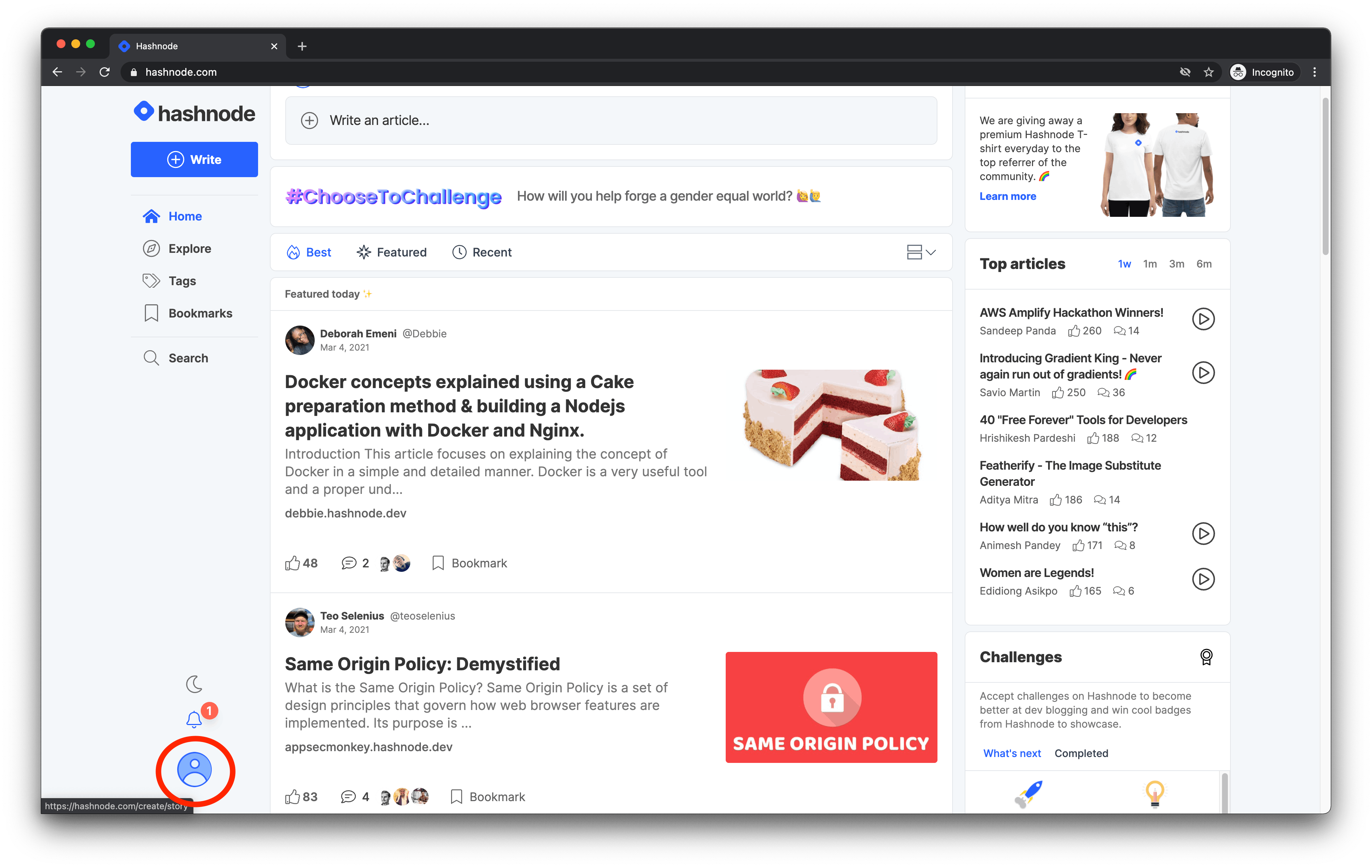 20 21 1. Click on the **Blog Dashboard** option from the popup modal to access your blog's dashboard. 22 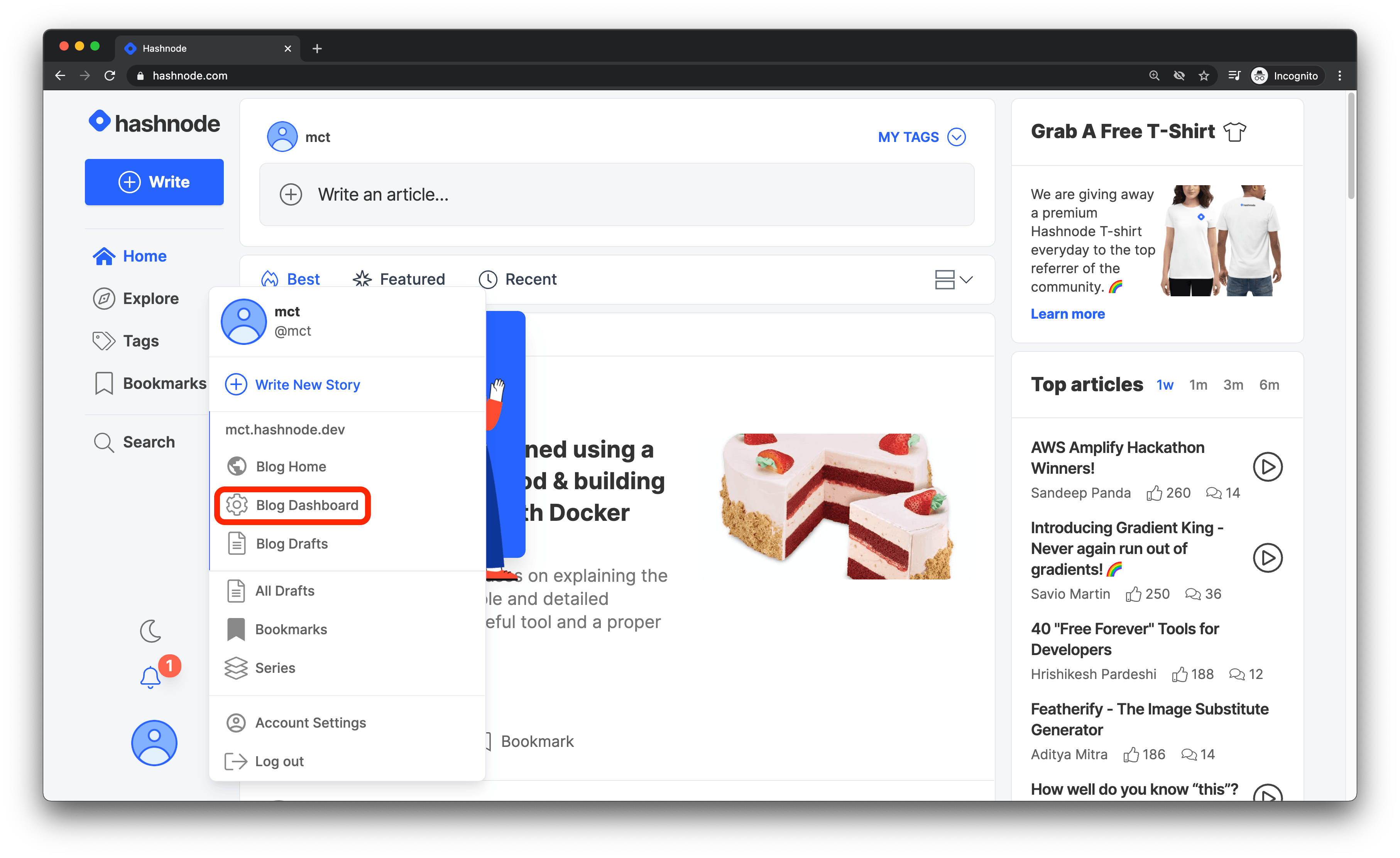 23 24 1. Navigate to the **Domain** tab and enter your domain without the **www** or **https://** prefix in the text field provided. Then click on the **Update** button to proceed. 25 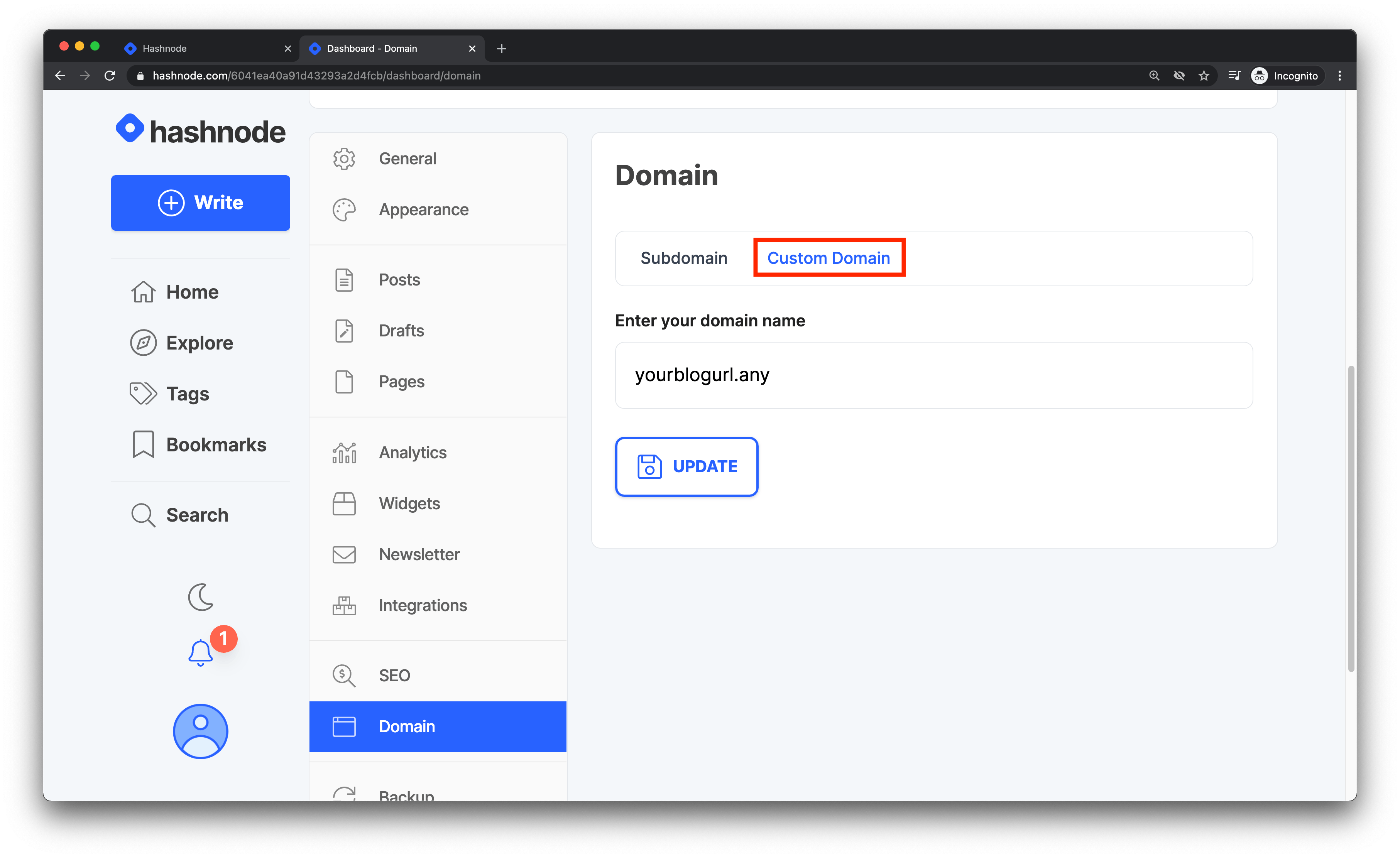 26 27 1. Go to your fork of the `is-a-dev/register` repository, edit your subdomain's JSON file, make sure you remove any old records, then add this to the `record` key and create a PR: 28 29 ```json 30 "CNAME": "hashnode.network" 31 ``` 32 33 ## Configuration 34 35 Once done, your Hashnode blog should be setup to use your subdomain. These changes could take from 1 hour to around 48 hours, so please be patient. It'll most likely be ready within a hour. 36 37 Once the DNS has propagated, you can start enjoying your Hashnode blog with your sweet `.is-a.dev` subdomain! 38 39 ## Need More Help? 40 41 If you encounter any issues or need further assistance, consider the following resources: 42 43 - [Hashnode Domain Mapping Guide](https://support.hashnode.com/docs/mapping-domain/): This support article provides detailed instructions on mapping your domain in Hashnode. 44 - [Hashnode Support Center](https://support.hashnode.com/): For more general help related to Hashnode, visit their Support Center. 45 46 Please note that is-a.dev is not affiliated with Hashnode. If you're experiencing issues with your Hashnode blog, please seek help through Hashnode's support channels. We are unable to assist with Hashnode-specific issues.